An academic system is only useful when it mirrors the work people need to do. In this project, I brought everyday institute operations—student onboarding, class organization, attendance, learning resources, and communication—into one role-aware application.
The project is built with PHP and MySQL. Its public website helps people learn about the institute, while the account portal gives students, faculty, and administrators different tools for their part of the academic process.
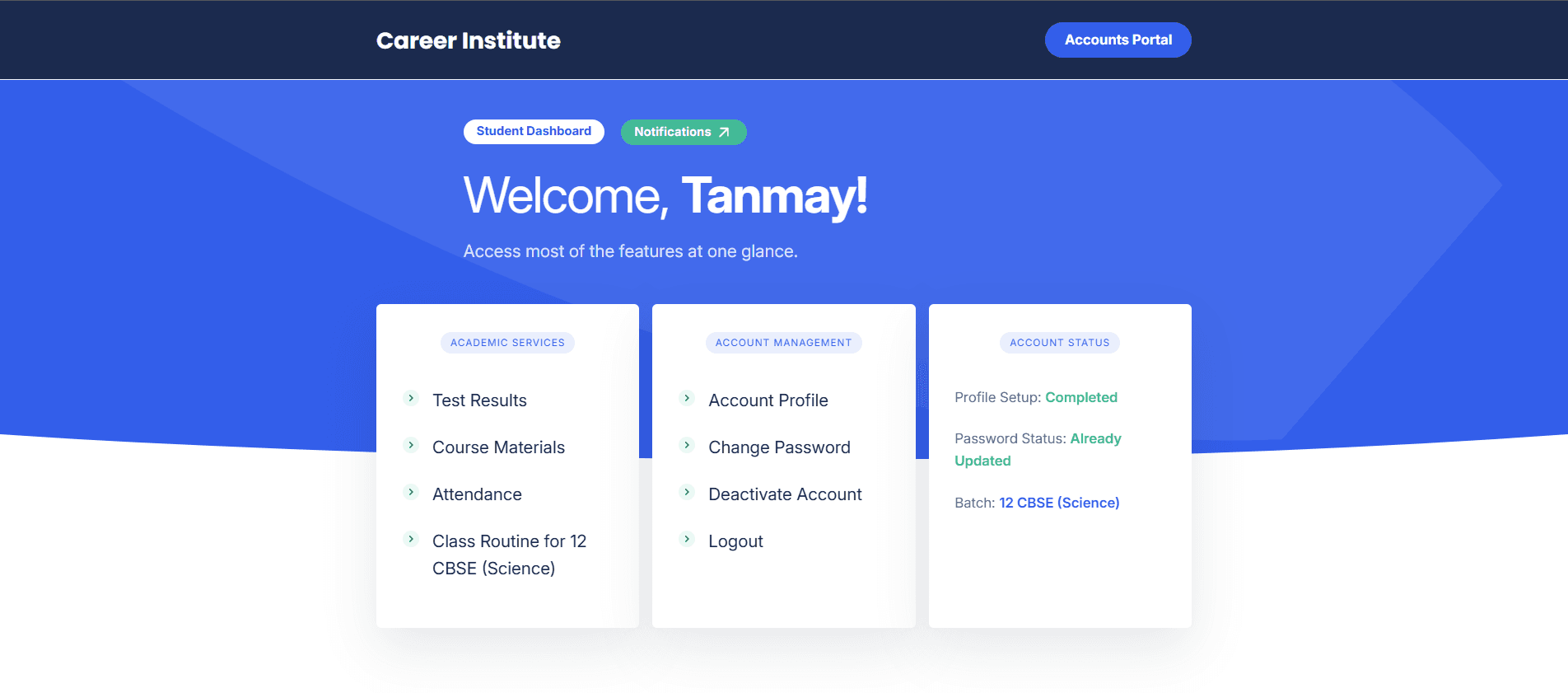
Begin with the roles
A role-based product starts with responsibilities, not just a set of pages. I separated the system into three account areas so a person can focus on the tasks relevant to them.
| Role | Work supported in the application |
|---|---|
| Student | View course materials, attendance history, class routines, test results, and institute notifications. |
| Faculty | Work with assigned batches and subjects, prepare daily class records, access course materials, and use test-record workflows. |
| Administrator | Approve registration requests and manage accounts, faculty assignments, attendance, test records, routines, enquiries, and notifications. |
The public side has a separate job: explain the institute and its courses, show admission information and routines, and give prospective students a way to make an enquiry or submit a registration request.
That division helped clarify navigation and made permissions part of the workflow design. A faculty member should not need to move through administrator screens to prepare a class record; students should be able to find academic information without seeing controls meant for staff.
Connect the workflow to the data
The underlying structure matters as much as the screen. Batches connect students to class schedules and academic records. Faculty assignments associate teaching work with a batch and subject. Attendance and test records then have a clear context instead of floating as unrelated forms.
The pages are rendered in PHP. PDO connects the application to MySQL, and shared database and worker functions keep page-level code focused on handling a specific workflow. That gives me a familiar request path to follow: receive input, validate it, check the session and permissions, perform the database operation, and return feedback.
- A student submits a registration request
- An administrator reviews and approves it
- The account is connected to the right academic group
- The student sees relevant services in their portal
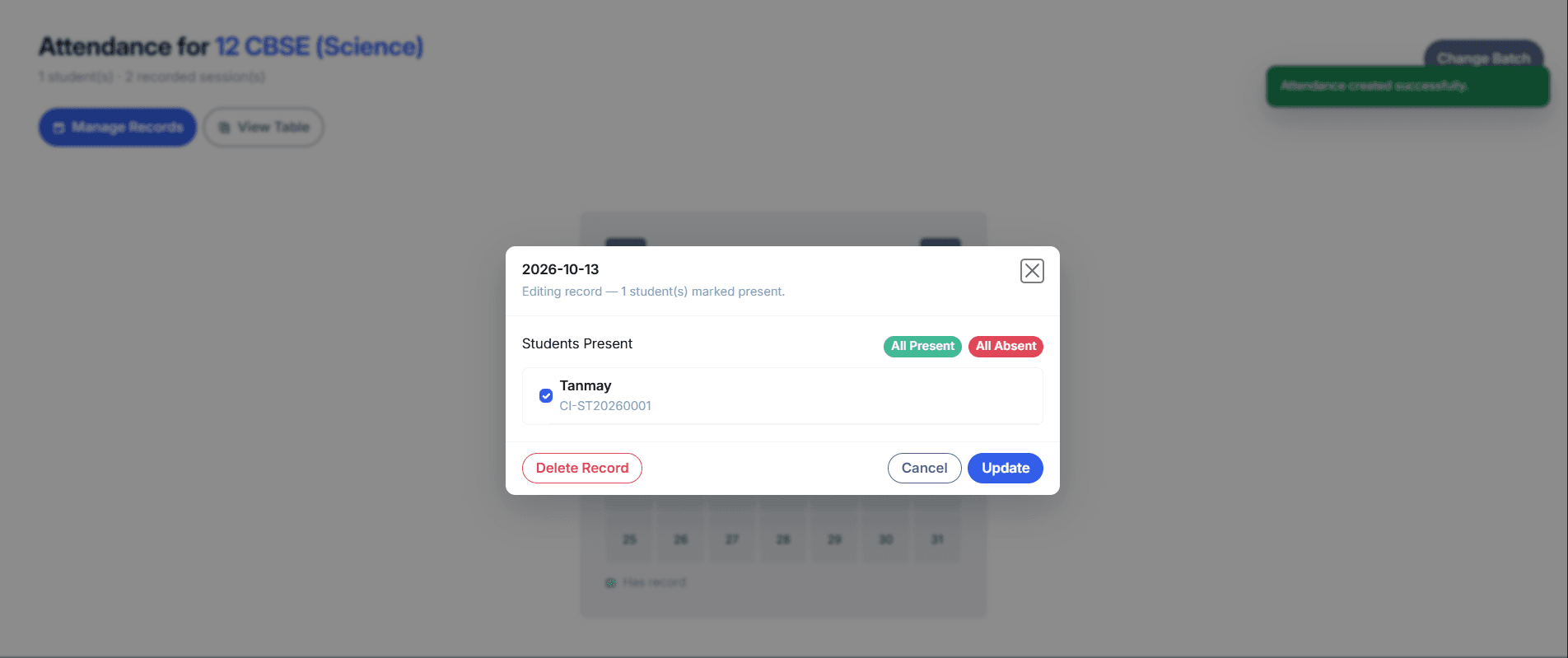
Make every action earn its access
The same permission rule needs to hold in the browser and on the server. Hiding a control can make an interface clearer, but it cannot protect a route by itself. The shared bootstrap and protected pages check the active account role before continuing, and state-changing forms validate CSRF tokens.
I also use input validation and output escaping around user-provided values. The goal is to make the expected path obvious and reject values that do not fit the action. When a request edits an academic record, the system should verify the record and its context before writing to the database.
A role-aware interface is only complete when the server enforces the same boundary. A hidden button is not an authorization check.
Account lifecycle work matters too. Student registration enters an approval queue; faculty accounts have activation and first-login password steps; users can manage their profile and password, and deactivation has its own workflow. These states shape what the account can do at each point in its lifetime.
Plan for messages beyond the request
Email has a different failure profile from saving a record. The application uses a mail queue and scheduled jobs so delivery work can be handled outside the immediate page request. Other scheduled tasks clean up expired notifications and rate-limit records, remove eligible deactivated accounts, and maintain device and activity records.
This separation makes the main workflow easier to reason about: a page can report that an action was accepted, while background work continues to handle delivery and cleanup. The dashboard also gathers relevant notifications so users can find institute updates in the portal.
A successful database write and a successful email delivery are two different events. Keeping that distinction visible makes failures easier to handle honestly.
What I would improve next
This project taught me to treat data relationships and access rules as part of the product experience. Batch membership, role assignments, and academic records all affect what a person should see and what an action means.
My next improvements would focus on making the most common admin and faculty workflows faster, making message delivery status easier to understand, and documenting the expectations each workflow relies on. I would also keep expanding the role and CSRF regression coverage as the application changes.
The system is still evolving. I plan to add more implementation notes and real interface screenshots as I refine the workflows.
End of this note. The project is still in progress.