This began as my first serious computer-vision project: could I combine face and head analysis, object detection, and a live dashboard into a system that responds while an exam session is running?
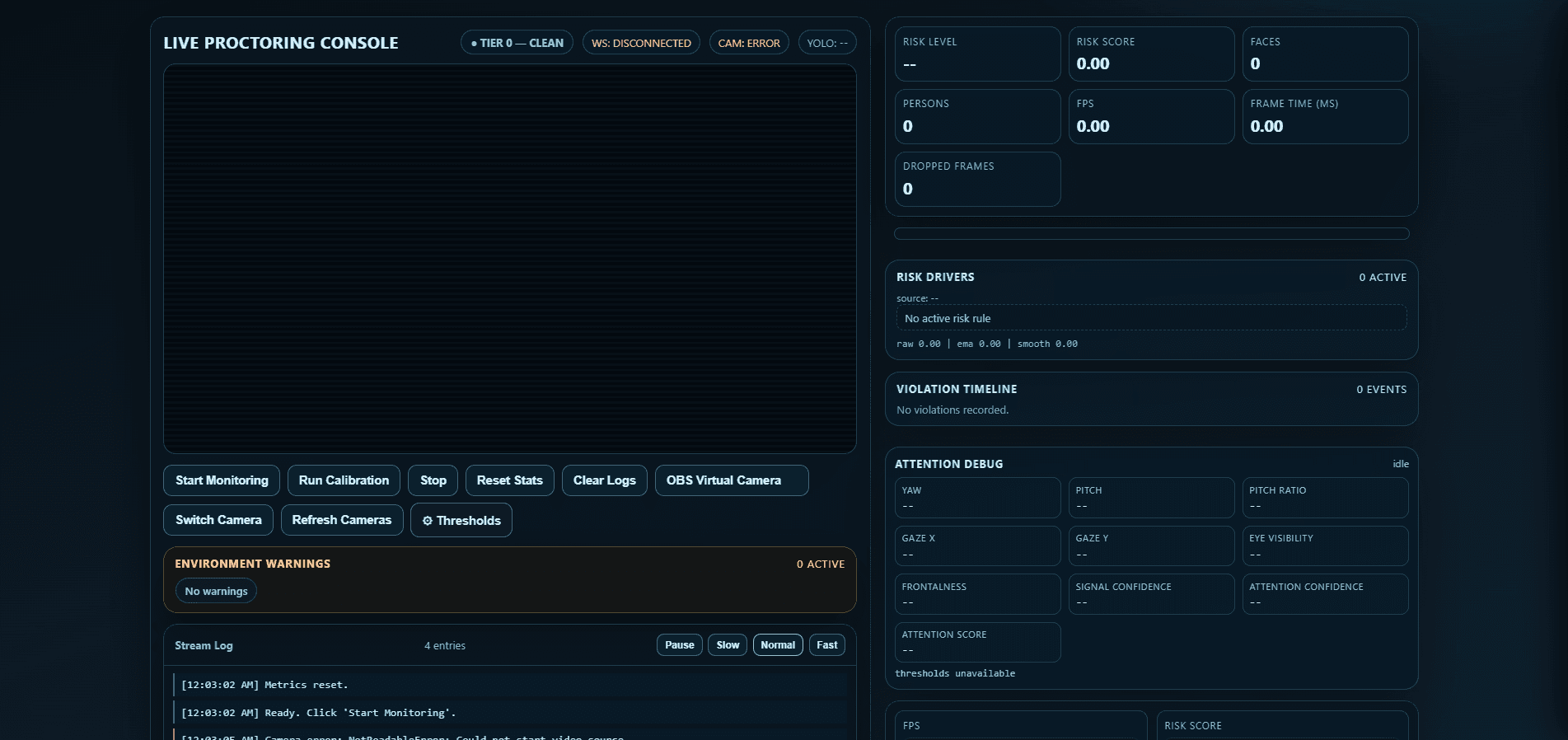
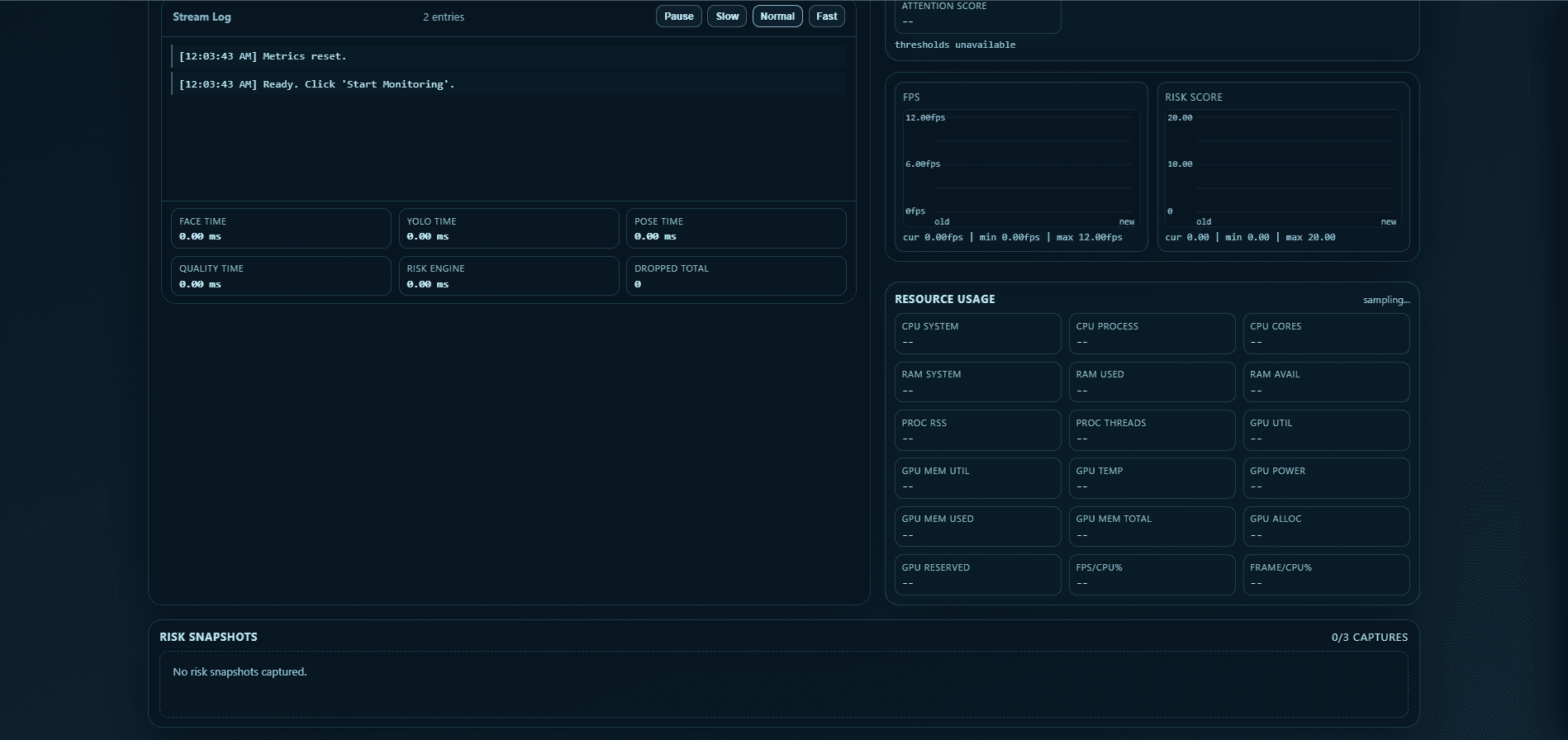
The application uses a FastAPI backend and a browser dashboard connected over WebSocket. The browser captures frames from the selected webcam and sends them to the backend. A per-connection session coordinates the vision pipeline and streams detections, warnings, risk signals, calibration status, and performance metrics back to the interface.
Move from a frame to a signal
A single frame can be noisy. Lighting changes, someone shifts in their chair, or an object detector returns an uncertain result. I built the system as a pipeline of separate signals so that no one model output has to carry the whole interpretation.
| Signal | Project component | What it contributes |
|---|---|---|
| Face landmarks | MediaPipe Face Mesh | Face presence, eye visibility, and landmark geometry for downstream measurements. |
| Head pose | OpenCV solvePnP | Yaw, pitch, and roll estimates from facial landmarks. |
| Gaze | Iris position and per-session baselines | Horizontal and vertical gaze estimates with confidence and visibility checks. |
| Objects and people | YOLOv8 plus person validation | Phone-like object candidates and additional-person signals. |
| Hand to face | MediaPipe Hands | A hand/face overlap signal. |
| Scene quality | Frame and background analyzers | Low-light, blurry/dirty-camera, blocked-view, and background-motion signals. |
The face tracker keeps observations associated across frames, while the attention model combines head movement, gaze deviation, and face orientation into states such as FOCUSED, TRANSITIONING, and LOOKING_AWAY.
Combine evidence over time
The risk engine checks 11 rule types: multiple people, multiple faces, phone detected, audio device detected, face missing, face not facing the camera, extreme gaze, vertical head movement, horizontal head movement, high movement, and hand on face. Audio-device detection depends on an optional gadget model; it is not enabled by the default empty model path.
Each rule has activation and release gates to avoid reacting to every brief fluctuation. The overall score combines rule severity, repetition weighting, and smoothing. The dashboard exposes both the score and the active-rule breakdown, so a reviewer can see what drove the signal.
A second layer organizes activations into review tiers:
- Tier 1: a trigger is logged for later review.
- Tier 2: the same rule activates at least three times in a rolling 120-second window.
- Tier 3: a configured high-severity rule is sustained, or one of six configured combinations becomes active—for example, a phone signal alongside extreme gaze or a missing face.
The camera can provide imperfect clues about a scene; it cannot explain why someone moved or establish intent. These events are prompts for human review and need context.
Personalize the baseline
Before monitoring, the dashboard offers an eight-stage calibration flow:
- Neutral face and posture
- Gaze at screen center
- Gaze toward the left edge
- Gaze toward the right edge
- Gaze toward the top edge
- Gaze toward the bottom edge
- Gentle vertical head movement
- Hand-to-face gesture
The calibration manager checks whether it collected enough usable samples and builds a profile with personalized gaze, head-motion, and other thresholds. It also learns background-motion zones so stable activity in the scene can be treated differently from new movement.
Schedule around the machine
Running every model on every frame can overwhelm a device. At startup, the hardware detector chooses a profile using GPU availability and system resources. The scheduler adjusts image size, frame stride, and object-detection rate, then feeds back CPU load and frame latency.
| Profile | Frame stride | Target image height | YOLO target rate |
|---|---|---|---|
| CPU | 4 | 480 px | 3 FPS |
| Mid GPU | 2 | 720 px | 8 FPS |
| High GPU | 1 | 1080 px | 12 FPS |
When the system stays overloaded, dynamic stride reduces inference work; it can step back after sustained recovery. If CUDA fails, the backend can fall back to CPU inference. The WebSocket path also uses bounded queues that discard stale frames, which helps favor current results over a growing backlog.
Make the system observable
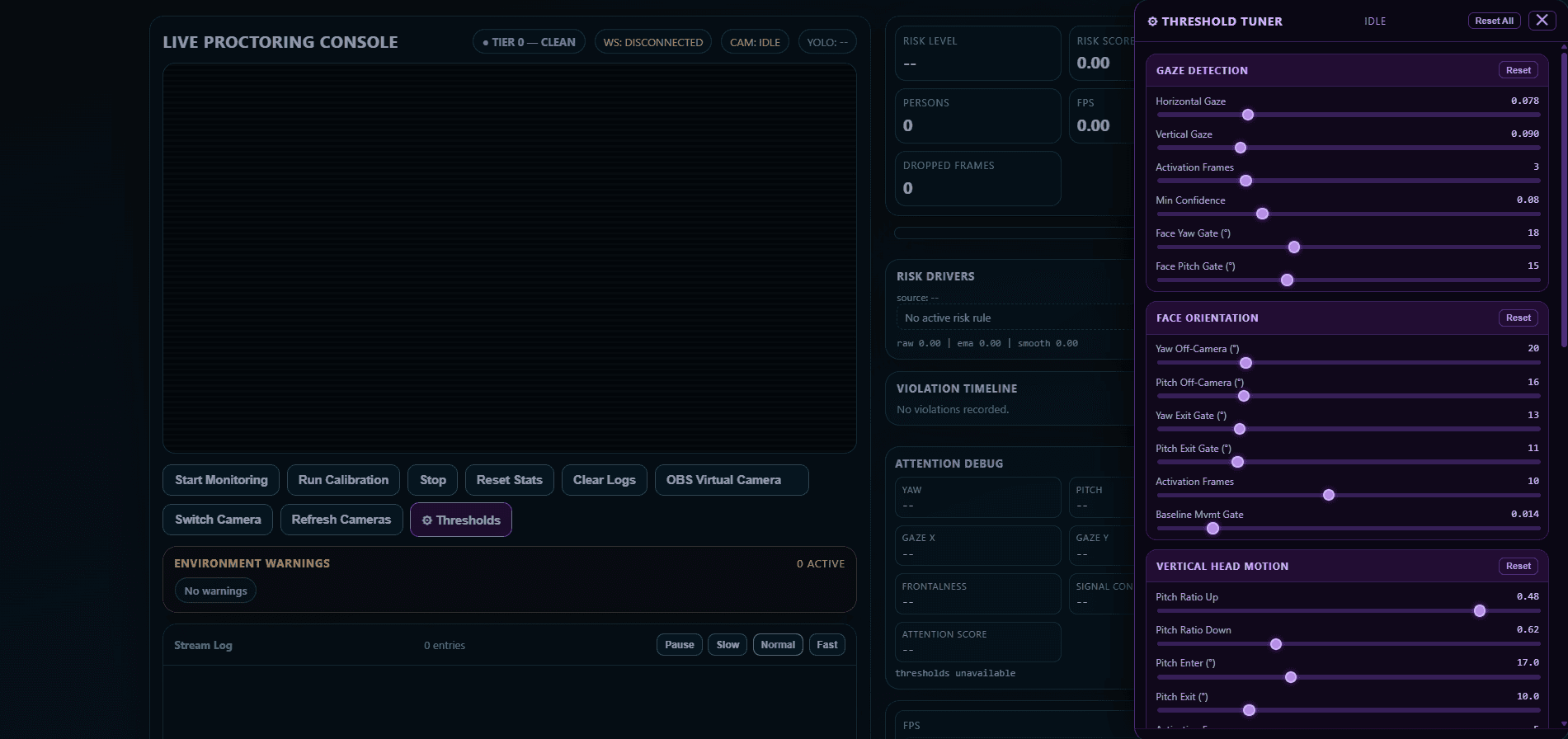
A live threshold tuner lets me adjust supported gaze, head-motion, eye-visibility, and phone-detection settings without restarting the backend. The dashboard shows per-stage timings, FPS, dropped and processed frames, resource metrics, active warnings, and the event timeline.
The performance reporter summarizes those measurements and exports session reports as JSON. That makes it easier to compare behavior across hardware and investigate whether latency comes from frame handling, a vision stage, or resource pressure.
Keep a person in the loop
This project made me think beyond model accuracy. The whole experience needs to make uncertainty visible and let a person inspect the signals behind an alert. Low light, a covered camera, ordinary movement, accessibility needs, and detector errors can all affect what the system sees.
My next steps are to explore stronger gaze estimation, optimize model inference, and improve how reviewers inspect the evidence behind a signal. Any future identity-related feature would need careful design and review.
The system is an evolving learning project. I will add implementation details, evaluation results, and real dashboard images as I continue working on it.
End of this note. The project is still in progress.